What this app is for
Google does not publish a Google Forms app for iPhone or iPad. People who own forms — teachers collecting homework, shop owners taking orders, event organisers handling sign-ups — have to open a browser and work in a desktop layout on a phone screen.
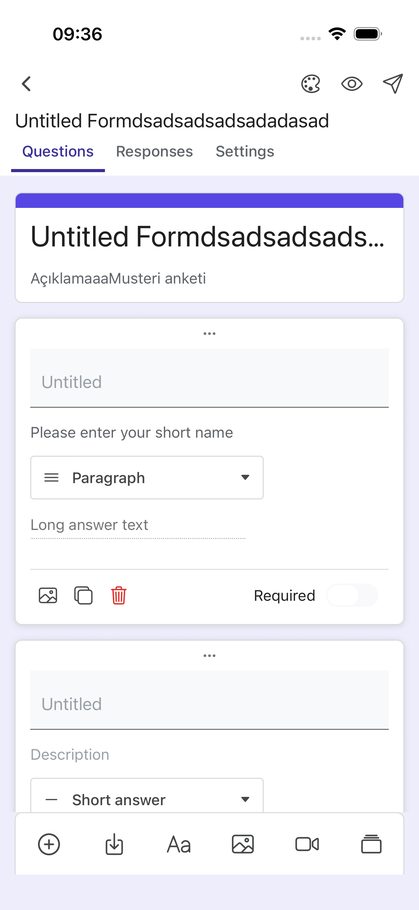
Form Editor solves that. You sign in with the Google account that owns your forms, and the app becomes a native editor for them. You can write a new form question by question, change one you already have, publish it, share the link, and then read the answers as they come in — all from the phone, without a browser.
The application name is Form Editor, the same name shown on the Google sign-in screen. It is published by DociLabs, is available for iPhone and iPad, and is an independent product — not affiliated with, endorsed by, or sponsored by Google LLC.
The app
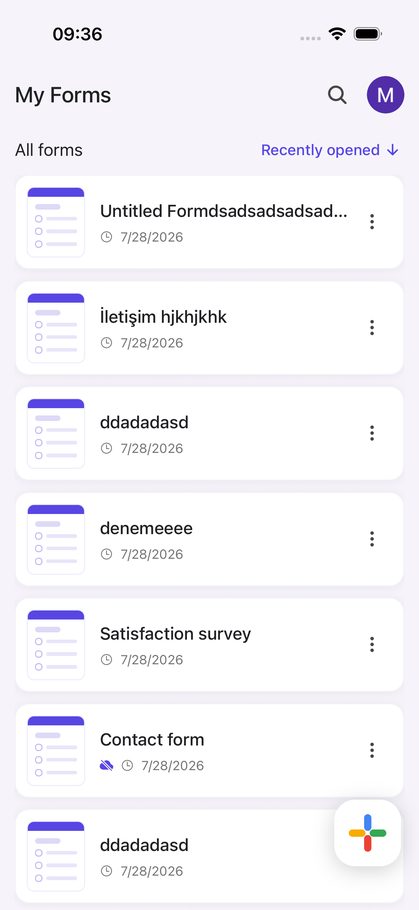
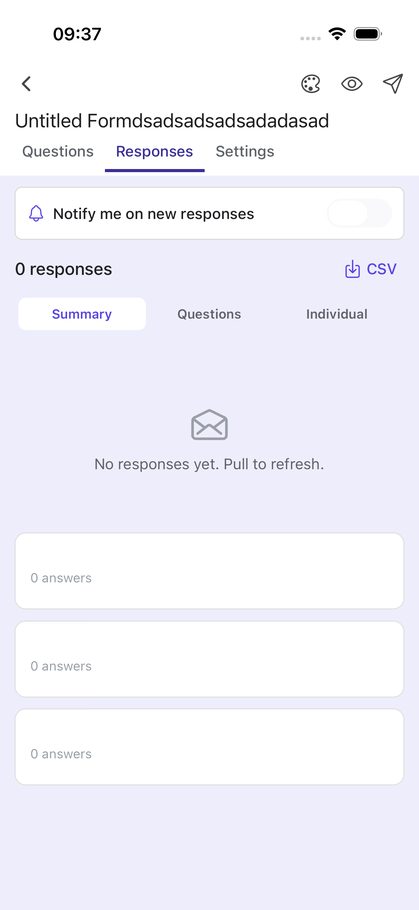
These are screens from Form Editor — the same application shown on the Google sign-in screen when you grant access.
How it works
- Sign in with Google. The app asks for access to your forms.
- Create or open a form. Start from scratch, from a template, from an AI description, or pick an existing form from your Google Drive.
- Edit, publish, share. Changes are written straight back to Google Forms, so the form stays in your Google account and works exactly as it always did.
- Read the responses. Summaries, per-question views, and CSV export.
How Form Editor uses your Google account
The app requests the narrowest permissions that let it do the job, and uses each one only for the feature described here:
| Permission | What it is used for |
|---|---|
.../auth/forms.body |
Read and write the structure of your forms — this is what makes the editor work: adding questions, changing options, sections, publishing settings. |
.../auth/forms.responses.readonly |
Read the responses your forms receive, so the app can show summaries and export them as CSV. Read-only; the app never alters or deletes a response. |
.../auth/drive.file |
Access only the individual files you create in the app or select yourself in the Google file picker — used to create new forms, rename them, and share them with collaborators. It gives no access to the rest of your Drive. |
email, profile, openid |
Show which account is signed in and address notifications to you. |
Your forms and their responses travel directly between your device and Google's API. They are not sent to, stored on, or readable by our servers. The privacy policy lists in full what does leave the device and why. Form Editor's use of information received from Google APIs adheres to the Google API Services User Data Policy, including the Limited Use requirements.
Features
- Full editor Every question type Google Forms offers — short answer, paragraph, multiple choice, checkboxes, dropdown, linear scale, rating, date, time and grids — plus sections, images, video and drag-and-drop ordering.
- Responses Summary charts, answers grouped by question, one respondent at a time, and CSV export. Quizzes get class averages and the questions people miss most.
- Draft with AI Describe the form you need and the app proposes the questions. You review and edit before anything is created.
- Offline filling Collect answers with no connection; they are submitted once you are back online.
- Kiosk mode Leave a tablet on a table — the form resets itself after every submission.
- Response notifications An optional push notification when someone submits your form.
Availability
Form Editor is an iOS application for iPhone and iPad, preparing for release on the Apple App Store. For questions, support or data deletion requests, write to [email protected].